

Creating Slack Notifications for GitHub Actions
Connecting GitHub Actions to Slack allows us to receive real-time notifications and updates about code repositories in which we’re collaborating. This integration streamlines communication, enabling us to quickly respond to events like pull requests or build statuses directly within a project Slack channel.
Note: There is currently already a ‘Github Actions’ slack app that is configured to send slack messages on a GitHub Action failure. It is using notify-slack-action to send slack messages.This slack app can be re-used for any github action to send slack messages, whether that be a bundle audit or CI tests.
Using the Existing ‘Github Actions’ App to Send Slack Messages
Section titled “Using the Existing ‘Github Actions’ App to Send Slack Messages”-
Follow the GitHub Action Quickstart guide here to create your own GitHub Action.
-
Once you have created a GitHub Action, navigate to the workflow YAML file. It should be in the following path:
.github/workflows/your_file_name.ymlHere is a template from notify-slack-action that you can paste into this file. This will tell your workflow to post to a slack channel if it fails.
Terminal window - name: Report Statusif: always()uses: ravsamhq/notify-slack-aåction@v1with:status: ${{ job.status }}notify_when: 'failure'env:SLACK_WEBHOOK_URL: ${{ secrets.ACTION_MONITORING_SLACK }}Your workflow file should now look something like this:
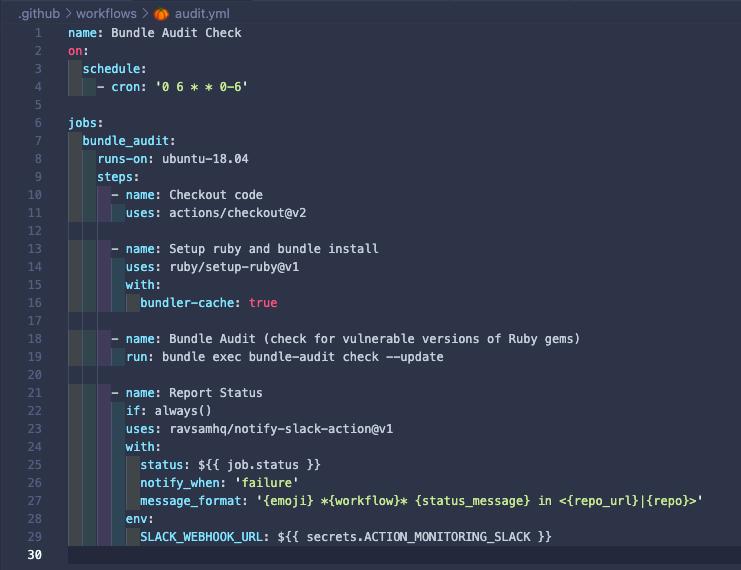
The new code has been added from
line 21 to 29Notice on line 29:
SLACK_WEBHOOK_URL: ${{ secrets.ACTION_MONITORING_SLACK }}indicates that we will need to add a webhook URL from our Slack app to our GitHub repo. -
Copy the webhook URL from our Slack app. Navigate to https://api.slack.com/apps/ (make sure you are logged in with your Planet Argon account) and click on the ‘GitHub Actions’ app under App Name.
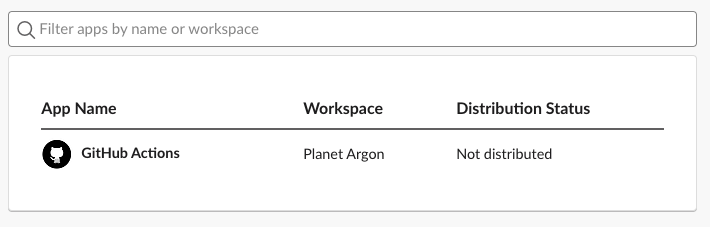
-
Click on Incoming Webhooks in the sidebar under Features.
-
Scroll toward the bottom of the page until you see the Webhook URL. Copy this link.
Note: You need to be an admin of the GitHub repo to complete the following steps.
- Add the copied Webhook URL to your GitHub Repository.
-
Navigate to the main page of the repository.
-
Under your repository name, click on the Settings tab

-
In the left sidebar, click on Secrets
-
Click on New repository secret.
-
In the Name input, type
ACTION_MONITORING_SLACK. -
Paste the webhook URL that you copied earlier in the value for the secret.
-
Click Add secret.
- The line
SLACK_WEBHOOK_URL: ${{ secrets.ACTION_MONITORING_SLACK }}in your workflow YAML file links your repo with this newly created secret webhook URL.notify-slack-actiondoes the rest of the work to connect it to Slack.
Congratulations!
Section titled “Congratulations!”Your app will now send Slack messages when the GitHub Action fails!