

Documenting an Incident Response
In the event that a client’s server, application(s), or 3rd-party accounts are compromised, we need to document what happened, how, and what we’ve done about it. The following are high-level instructions on how to do so:
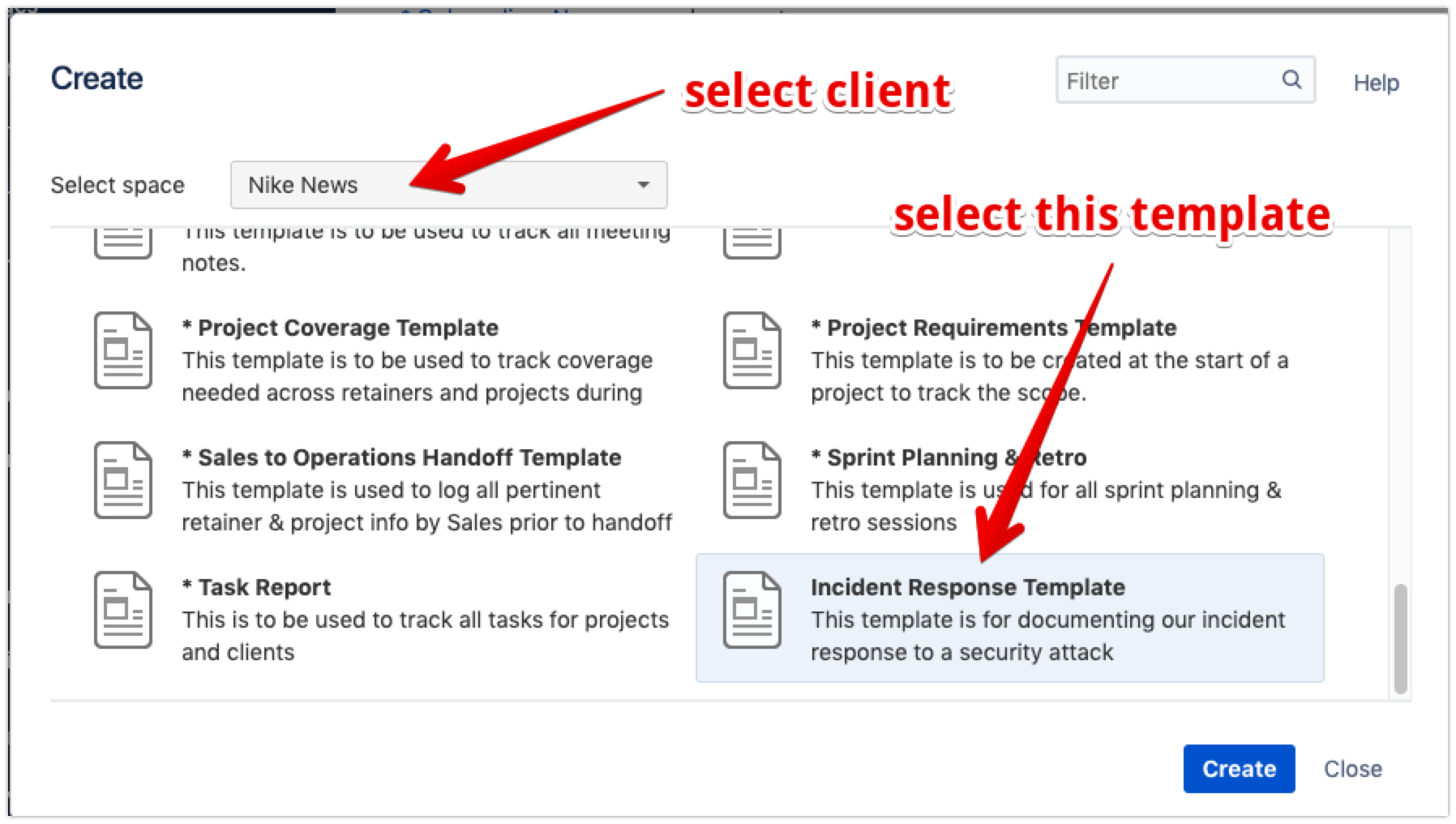
- Create a new page in the Confluence Space of the impacted client/project using the Incident Response Template:
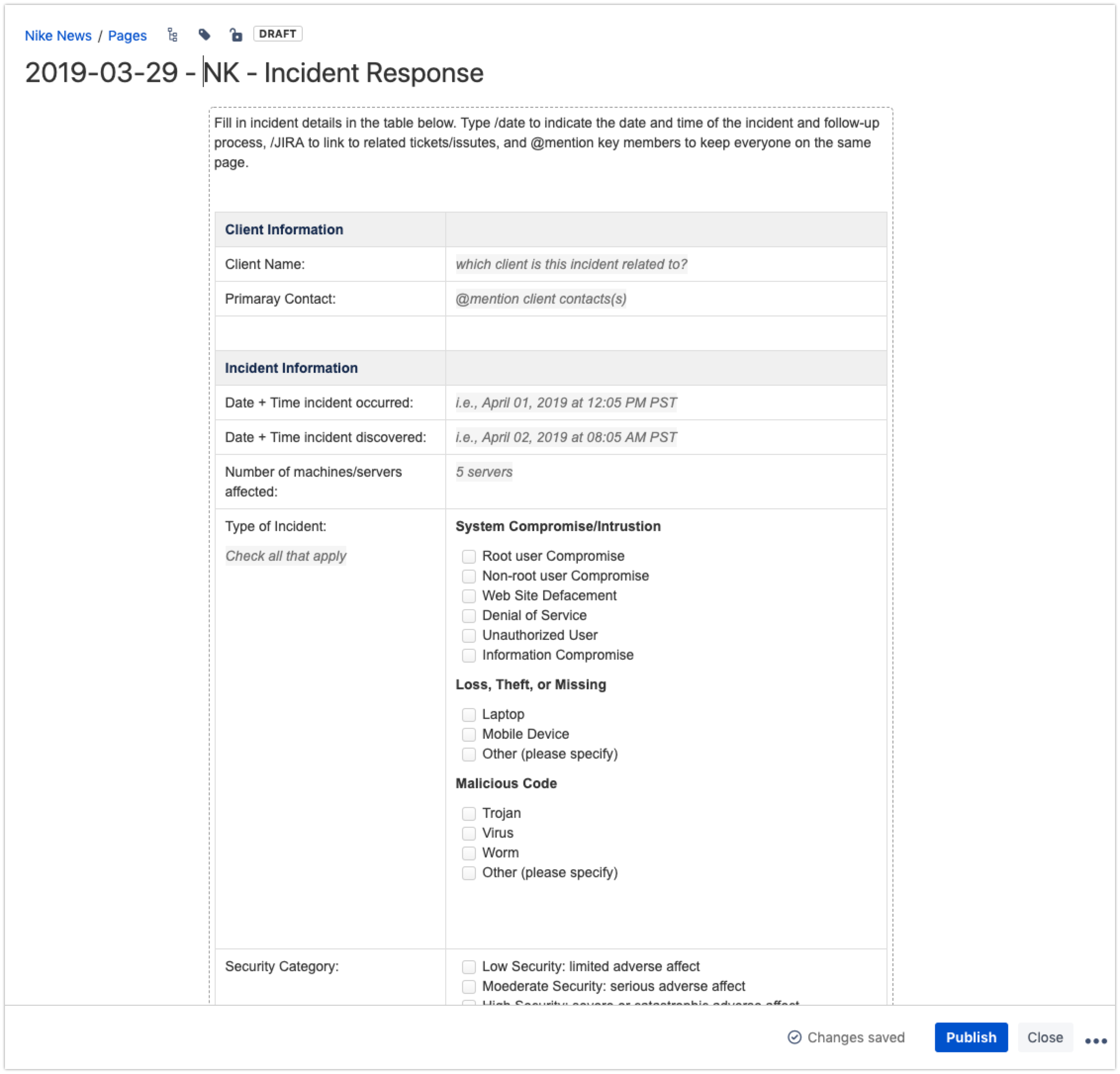
- Set the title to YYYY-MM-DD - CLIENT CODE - Incident Response and fill out all the details you can.
-
Share the document with other members of the team involved in investigating, reporting, and resolving the problem.
-
Once the team is satisfied with the document, share with the client contact.